Sabel PHP FrameworkでBehatを使ってBDD開発できるようにします。
開発環境はLinuxかMacを対象にしているのでWindowsの人はごめんなさい。
まずはBehatのインストール
pear channel-discover pear.symfony.com
pear channel-discover pear.behat.org
pear install behat/behat
ドキュメントはこちら http://pear.behat.org/
正常にインストールできている場合は behat コマンドが使えます。
% behat
[InvalidArgumentException] Context class "FeatureContext" not found
behat [-c|--config="..."] [-p|--profile="..."] [--init] [-f|--format="..."] [--out="..."] [--lang="..."] [--[no-]ansi] [--[no-]time] [--[no-]paths] [--[no-]snippets] [--[no-]snippets-paths] [--[no-]multiline] [--[no-]expand] [--story-syntax] [-d|--definitions="..."] [--name="..."] [--tags="..."] [--cache="..."] [--strict] [--dry-run] [--rerun="..."] [--append-snippets] [features]
もしくは、Features path "/var/www/html/fotofoo/features" does not exist
この様な表示になる。
// コンソールに色が無いよ!という人はbehat --ansi とやってみて。
FeatureContextが無いよといっているのでFeatureContextを作る。
作るといってもinitオプションでコマンドを実行するだけ。
% behat --init
そうするとカレントディレクトリの下にfeatures/が作られる。
もう一度 behat
% behat
No scenarios
No steps
0m0.001s
これで準備完了。
実際にフィーチャを実装してみる
とりあえず、適当にモデルを対象にしたfeatureファイルをfeatures/に作成する。
# language: en
#
# features/sabel_test.feature
Feature: test model
Scenario: test model
Given model "Test" must be exists
When I run "selectOne"
Then I should get name "sabel"
これでbehatコマンドを実行するとステップの雛形を作成してくれる。
% behat
Feature: test model
Scenario: test model # features/sabel_test.feature:6
 Given model "Test" must be exists
 When I run "selectOne"
 Then I should get name "sabel"
2 scenarios (1 passed, 1 undefined)
5 steps (2 passed, 3 undefined)
0m0.052s
You can implement step definitions for undefined steps with these snippets:
/**
 * @Given /^model "([^"]*)" must be exists$/
 */
 public function modelMustBeExists($argument1)
 {
   throw new PendingException();
 }
/**
 * @When /^I run "([^"]*)"$/
 */
 public function iRun($argument1)
 {
   throw new PendingException();
 }
/**
 * @Then /^I should get name "([^"]*)"$/
 */
 public function iShouldGetName($argument1)
 {
   throw new PendingException();
 }
で、この結果を features/bootstrap/SabelModelFeatureContext.php に貼り付ける。
そしてSabelModelFeatureContext.phpを認識させるために、FeatureContext.phpのコンストラクタに追加する。
$this->useContext('sabel_test', new SabelModelFeatureContext($parameters));
SabelModelFeatureContextの実装はこんなかんじ。
require_once "init.php";
use Behat\Behat\Context\ClosuredContextInterface,
 Behat\Behat\Context\TranslatedContextInterface,
 Behat\Behat\Context\BehatContext,
 Behat\Behat\Exception\PendingException;
use Behat\Gherkin\Node\PyStringNode,
 Behat\Gherkin\Node\TableNode;
/**
 * Created by JetBrains PhpStorm.
 * User: morireo
 * Date: 12/5/22
 * Time: 12:24 PM
 * To change this template use File | Settings | File Templates.
 */
class SabelModelFeatureContext extends BehatContext
{
 private $model;
 private $result;
 /**
  * @Given /^model "([^"]*)" must be exists$/
  */
 public function modelMustBeExists($argument1)
 {
  $this->model = MODEL($argument1);
 }
 /**
  * @When /^I run "([^"]*)"$/
  */
 public function iRun($argument1)
 {
  $this->result = $this->model->$argument1("id", 1);
 }
 /**
  * @Then /^I should get name "([^"]*)"$/
  */
 public function iShouldGetName($argument1)
 {
  if ($this->result !== $argument1) {
   return false;
  }
 }
}
ここでinit.phpをrequireしているが、init.phpは下記のようになる。これをしておかないとSabelの機能が使えないので注意。
# features/bootstrap/init.php
<?php
define("SBL_BATCH", true);
define("RUN_BASE", dirname(__FILE__) . "/../../");
require (RUN_BASE . DIRECTORY_SEPARATOR . "Sabel" . DIRECTORY_SEPARATOR . "Sabel.php");
require (RUN_BASE . DIRECTORY_SEPARATOR . "config" . DIRECTORY_SEPARATOR . "INIT.php");
require (RUN_BASE . DIRECTORY_SEPARATOR . "config" . DIRECTORY_SEPARATOR . "environment.php");
if (!defined("ENVIRONMENT")) {
 echo "SABEL FATAL ERROR: must define ENVIRONMENT in config/environment.php";
 exit;
}
$_SERVER["HTTP_HOST"] = "localhost";
$_SERVER["SERVER_NAME"] = "localhost";
$_SERVER["REQUEST_URI"] = "/";
if (isset($_SERVER["argv"][2])) {
 $_SERVER["REQUEST_METHOD"] = strtoupper($_SERVER["argv"][2]);
} else {
 $_SERVER["REQUEST_METHOD"] = "GET";
}
if (isset($_SERVER["argv"][1])) {
 $parsed = parse_url("http://localhost/" . $_SERVER["argv"][1]);
 $_SERVER["REQUEST_URI"] = $parsed["path"];
if (isset($parsed["query"])) {
 if ($_SERVER["REQUEST_METHOD"] === "POST") {
 parse_str($parsed["query"], $_POST);
 } else {
 parse_str($parsed["query"], $_GET);
 }
 }
}
if ((ENVIRONMENT & PRODUCTION) > 0) {
 Sabel::init();
 Sabel_Bus::create()->run(new Config_Bus());
 Sabel::shutdown();
} else {
 Sabel_Bus::create()->run(new Config_Bus());
}
ひとまずこれでSabelでBDDができるようになる。
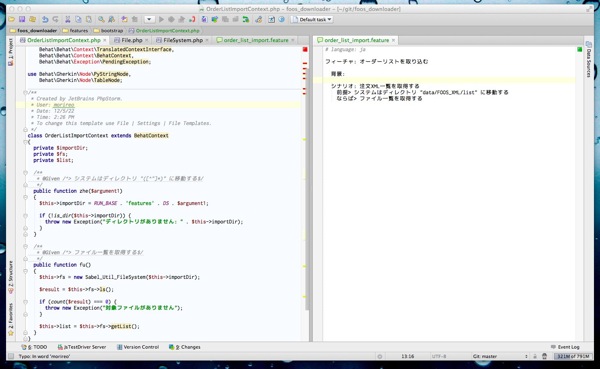
日本語でfeatureファイルを記述したい場合は.featureファイルの先頭のlanguageをjaにする。
そうすると、フィーチャ シナリオ 背景 前提 かつ ならば そしてのようなキーワードが日本語で記述できる。ステップも日本語で記述する。
キーワードは behat --story-syntax --lang ja このコマンドで一覧を教えてもらえる。
# language: ja
[フィーチャ|機能]: Internal operations
 In order to stay secret
 As a secret organization
 We need to be able to erase past agents' memory
背景:
 前提 there is agent A
 かつ there is agent B
シナリオ: Erasing agent memory
 前提 there is agent J
 かつ there is agent K
 もし I erase agent K's memory
 ならば there should be agent J
 [しかし|但し|ただし] there should not be agent K
[シナリオアウトライン|シナリオテンプレート|テンプレ|シナリオテンプレ]: Erasing other agents' memory
 前提 there is agent <agent1>
 かつ there is agent <agent2>
 もし I erase agent <agent2>'s memory
 ならば there should be agent <agent1>
 [しかし|但し|ただし] there should not be agent <agent2>
[例|サンプル]:
 | agent1 | agent2 |
 | D | M |
フィーチャを全て日本語で記述し顧客でも理解できる内容で記述すれば受け入れテストの自動化ができる。